

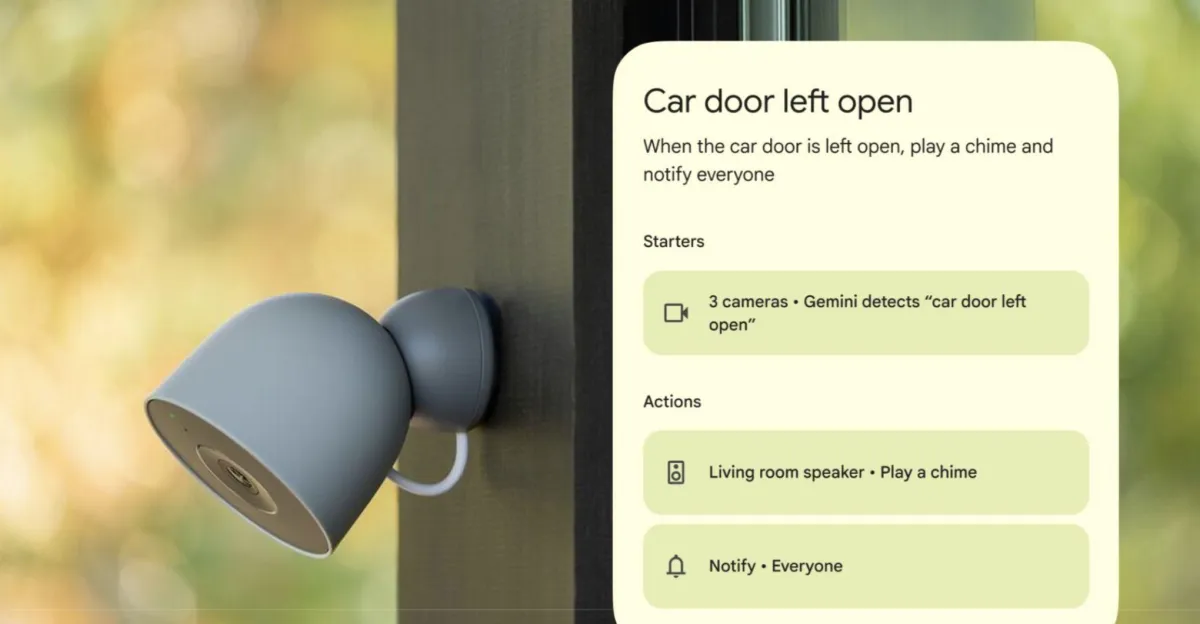
Google Home is rolling out a new Gemini-powered automation feature that can trigger smart home routines based on what your security cameras can see. This is one of several updates announced yesterday for Gemini for Home, including enhanced voice command support and general stability improvements, following its early access launch in October.
“We are introducing a brand-new starter that lets you design automations based on visual insights,” Google said in its announcement. “Because your cameras can now actually understand what they see, your smart home can automatically react to almost anything happening around your home.”
The feature is currently supported for Nest cameras and select third-party cameras with “Gemini Built-In,” and it’s only available in English for US users enrolled in the Google Home Public Preview program for now. You’ll also need to enable AI descriptions for your cameras via “Gemini for Home camera features,” and be subscribed to the Google Home Premium Advanced plan ($20 per month or $200 per year).
To set up the feature, Google says you can simply describe the exact event you want to trigger an automation for using natural language, and then select which cameras inside or outside of your home should look for it. Google recommends you describe objects that are clearly visible to your cameras and says the camera “needs a brief moment to process what it sees,” and so this shouldn’t be used for “instant alerts, time-sensitive situations, or security and safety purposes.”
For example, you can ask Gemini for Home to look for “raccoons near the trash bins” to then trigger a routine that turns on security lighting to scare them off, or tell it to notify you when it detects that mail has been delivered. You can also ask it to look for “red BMW enters driveway” or for specific people (provided you have the Friendly Faces feature enabled), and then activate routines inside your home, like opening smart blinds or controlling your heating system.
Google also announced that Gemini for Home users can now ask the voice assistant to trigger multiple actions in a single verbal command, such as telling it to lower the blinds, dim the lights, set a 20-minute timer, and start your favorite podcast. Gemini should also now respond more quickly to voice commands and provide more “consistent and predictable” responses to natural language commands, such as asking it to make your room lighting “a little warmer.”
