

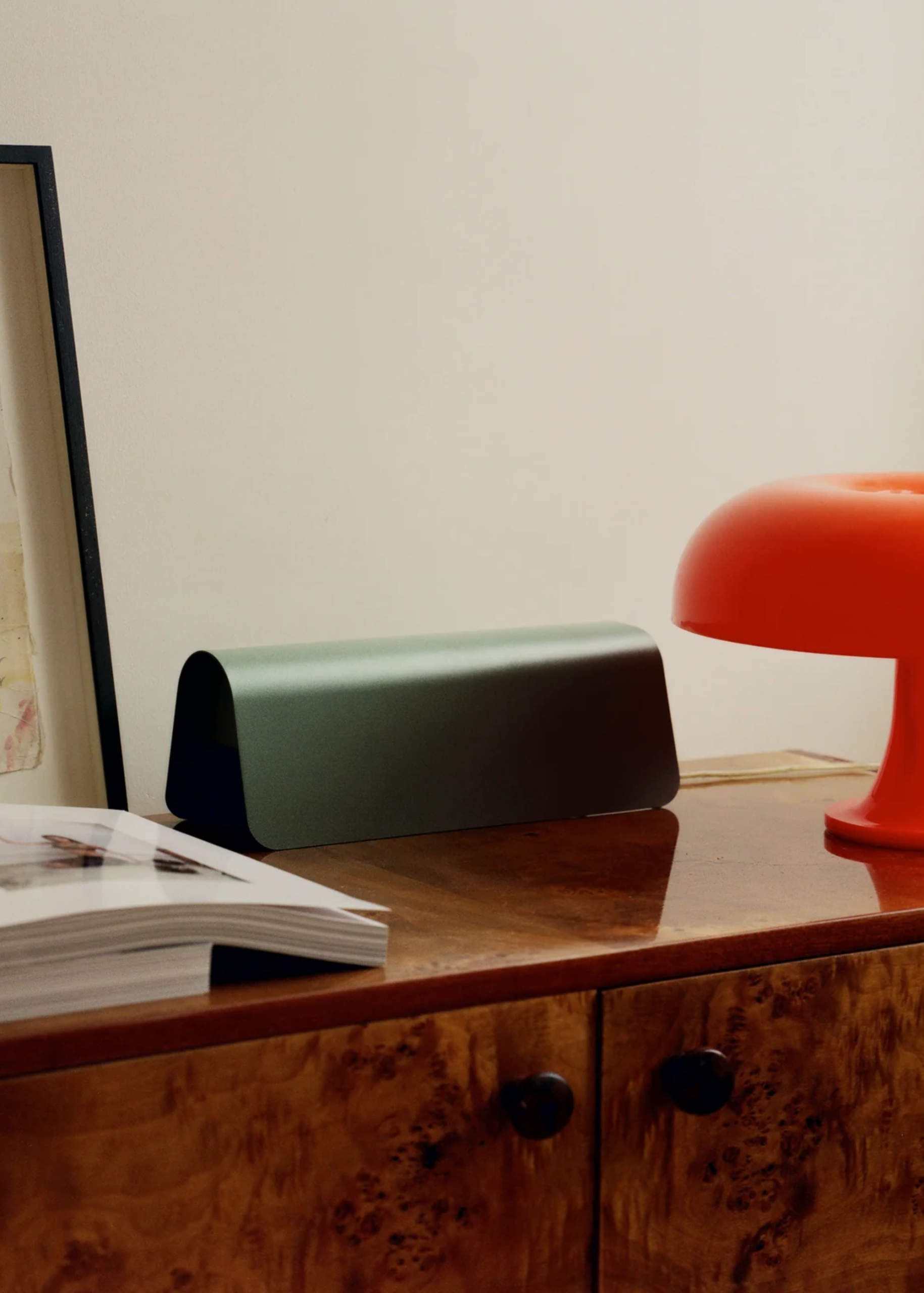
My biggest pet peeve in a home? Charging cables lying on the floor and remote controls taking up prime real estate on a coffee table. I know that’s hyper-specific, but it’s the quickest thing to snatch attention away from a beautifully designed home.
So, whether you’re organizing cords in a living room or tidying up your entertainment space, these undercover clutter causers need to be taken care of ASAP. Creating a charging station, using chic cable organizers, organizing your remotes, and concealing power strips are a must.
Not to forget, regularly decluttering your tech. But first, let’s talk about how these small changes are a non-negotiable in smart homes.

1. Create a Charging Station

Designing a space for your tech to charge is a clever way to keep tech clutter from taking over.
(Image credit: Bigso Box of Sweden)
“One of the easiest ways to get control of tech clutter is to give it a home. Instead of having phones, tablets, smartwatches, and chargers scattered around the house, create one dedicated charging station,” says Di Ter Avest, founder of Di Is Organized.
“A basket, drawer, or small section of a countertop can work perfectly. When everything is charged in the same place, it’s easier to find what you need and keep surfaces clear.”
A smart side table or something like IKEA’s wireless charger is a genius option for tech-heavy homes.

Bigso Box of Sweden
Light Beige Storage Box Cordy
Looks like just another storage box, but is actually a covert power strip cover and cord organizer.

Keepro
3 in 1 Wireless Charging Station
How sleek is this hardworking 3 in 1 Wireless Charging Station from Keepro? Plus, it’s Amazon’s top choice.

DUSK
LED Desk Lamp with Phone Charging Station – Gold
As for my favorite option, I have to give it to this stylish LED Desk Lamp and Charging Station from DUSK.

Di Ter Avest is a professional home and lifestyle organizer, and the owner of Di is Organized, in Baltimore, MD (USA). Her accountability program and book Organize Yourself Healthy help women across the globe to get their lives and homes organized, leading to lower levels of stress and overwhelm. Her expertise has been featured in Forbes, Today, ApartmentTherapy, Real Homes, Livingetc, Homes & Gardens, and Kitchn. She has also given workshops at IKEA, West Elm, and Williams-Sonoma.
2. Use Cable Organizers

99 problems but a design-y cable organizer ain’t one.
(Image credit: And Jacob)
“Loose cords have a way of making even an organized room look messy. Cable clips, sleeves, or cord boxes can keep wires bundled and out of sight,” says Di.
“These small, stylish cord organizers help prevent tangles and make spaces feel much cleaner. It’s one of those simple fixes that makes a big visual difference.”
Typically, I’d recommend these Dusty Rose Magnetic Cable Ties from Pedestal. However, if you’re organizing cords in a living room, one of these designer options is better for this hosting space.

And Jacob
Cable Holder – Grey Marble
A cable holder and a mini catch-all in one marbled finish? Count me in.

CoastalVilla
Marble Cube Cable Holders
I’ve had my eye on these pretty Marble Cube Cable Holders from Coastal Villa forever.

Lulucraft Finds
Charging Cable Holders
3. Give Remotes a Dedicated Home

If your remote controls don’t have a spot of their own, you’re doing it wrong.
(Image credit: Pedestal)
“Remotes seem to disappear the second you need them. That’s why I recommend storage ideas in the form of a decorative tray, basket, or small drawer near where they’re used most,” she notes.
“Having a designated spot for your remotes makes them easier to find and keeps coffee tables from becoming clutter magnets. It’s a simple habit that helps a room stay tidy.”

Pedestal
Royal Blue Storage Basket Remote
Ever since I came across this remote basket from Pedestal, it’s been on the brain. And this light beige finish is perfect for a minimalist space.

Amazon
Leather Remote Control Holder
Another option for a minimalist living room is this Leather Remote Control Holder from Amazon.

Ferm Living
Nova Medium Bamboo Storage Box
And if you’d prefer a true undercover option, look no further than this vibrant storage box from Ferm Living.
4. Conceal Power Strips

Pedestal’s Power Shell is a beautiful example of the aesthetic impact a concealed power station can have on a tech-y space.
(Image credit: Pedestal)
According to Di, power strips are necessary, but they aren’t exactly pretty to look at. And I couldn’t agree more. “I recommend placing them inside a cable management box or tucking them behind furniture when possible,” she suggests.
“This simple change instantly reduces visual clutter and creates a more polished look. However, it’s important to make sure they’re still easy to access when needed.”
On the other hand, if you have a sleek strip like IKEA’s SKOTAT extension cord, you can afford to leave it on display.

Pedestal
Cable Villa in Bubblegum
The Cable Villa from Pedestal might be one of my favorite ways to hide cables, power strips, and other unsightly cords.


And if you have a desktop or a PC, size up with this Cable Box Tower for thorough cord management.
5. Regularly Declutter Old Tech

Purging your tech is a crucial part of keeping this genre of homeware under control.
(Image credit: Kord)
“Many of us hold onto outdated chargers, broken earbuds, and devices we haven’t used in years. Set aside time every few months to sort through your tech collection,” says Di.
“Consider recycling or responsibly disposing of anything that’s no longer useful. This way, you’ll free up space and make it so much easier to find the items you actually use.”
And if your smartest room happens to be your WFH space, this will help you attain a clutter-free desk and boost productivity. And if you’re getting rid of your old power strips, perhaps one of these stylish options can take its place.

I love this cobalt blue Power Strip Bar from Pedestal. It’ll fit right into a fashionable home office.

This Cuboid+ Power Strip goes to show how a subtle color change and a touch of texture can give even the most boring items a glow up.

The Tech Bar
Avolt Square1 Power Extension Cube
This Avolt Square1 Power Extension Cube from The Tech Bar is another pretty option to brighten up your desk.
FAQs
How Often Should You Declutter Tech Accessories?
When it comes to paring back your physical tech, decluttering twice a year is ideal. And as for digital minimalism, I’d recommend doing some online housekeeping once every two weeks or at least on a monthly basis.
Now that the foundation to a tidy home is set, how about a summer reset? And in the meantime, sign up for the Livingetc newsletter.
